 Property developmentInteractive 3D
A home customers can choose, customize and explore
A-frame combines house models, materials and options with a 3D preview, an interior walkthrough and configuration pricing.
- Client
- A-frame
- Solution
- Interactive 3D presentation
- Scope
- Exterior and interior
- Preview
- Application recording
Challenge
House options without a confusing catalogue
The model, roof, facade and furnishings shape the final home. Customers need to see how their choices affect appearance and price.
Connect choices to a real sense of space
An exterior view cannot explain the kitchen, living room or upper level. Interior exploration supports the choice of model.
Solution
Configuration beside the 3D preview
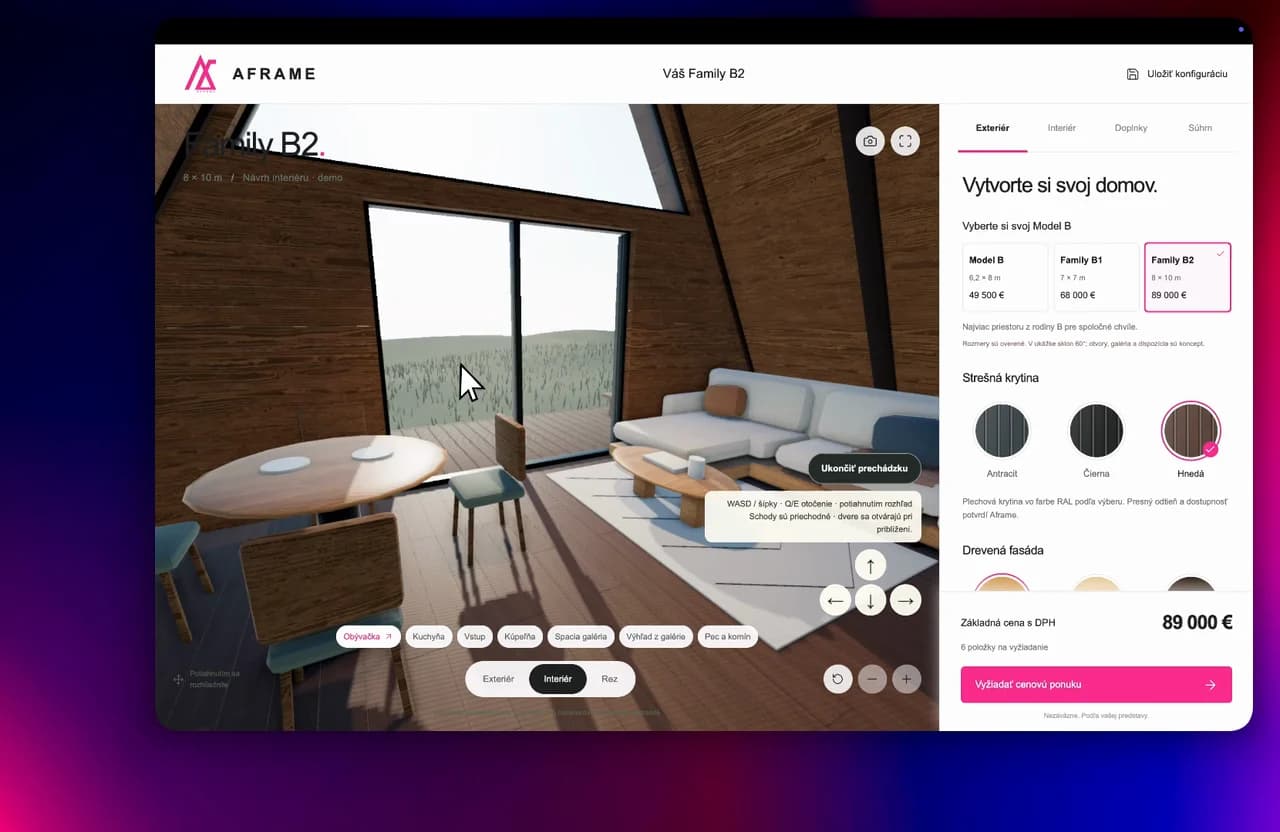
One panel combines models, materials and options while keeping the chosen configuration and base price visible.
From exterior to living spaces
Customers can switch to the interior, explore the rooms and continue to request a quote.
How it works
How the project works
The steps and frames shown in the supplied application recording.
- 01
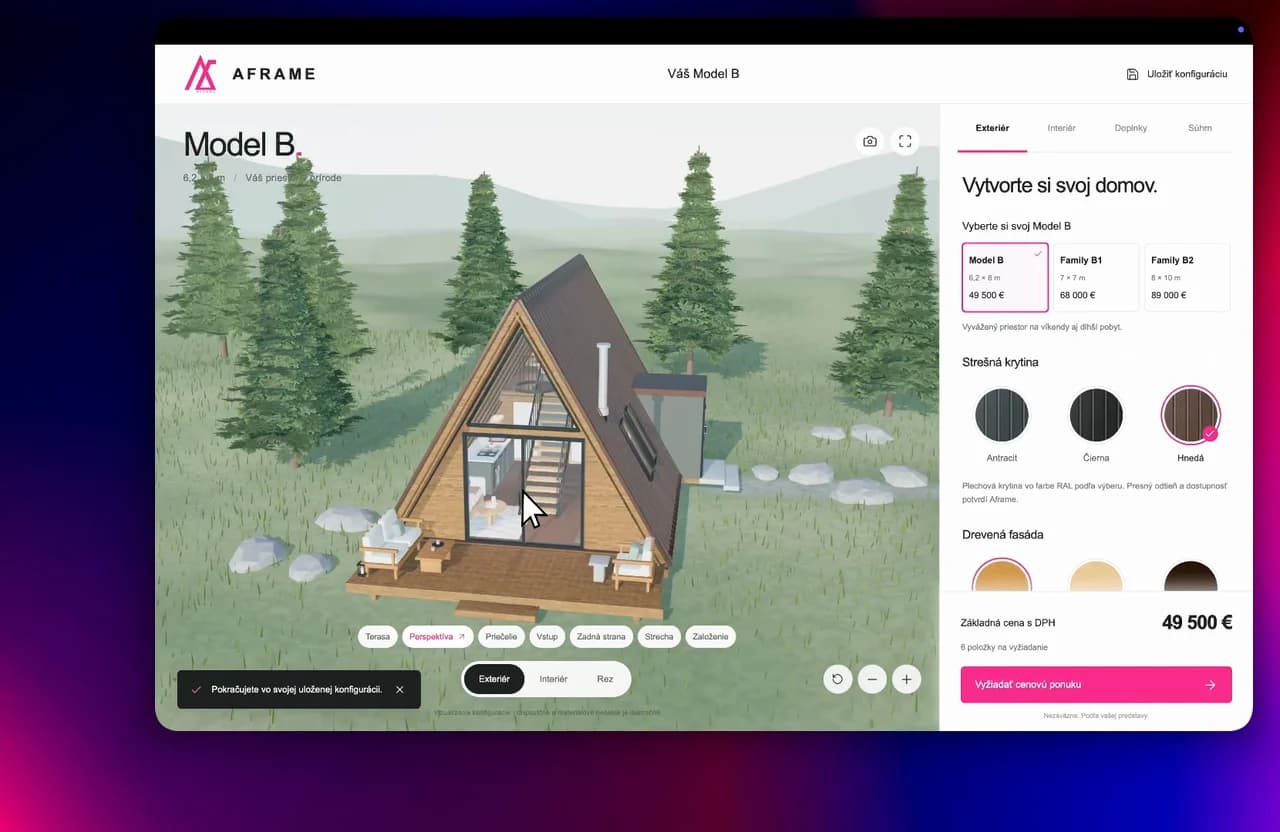
Choose a house model
Models have their own specifications and price, and the selection appears in the 3D scene.
- 02
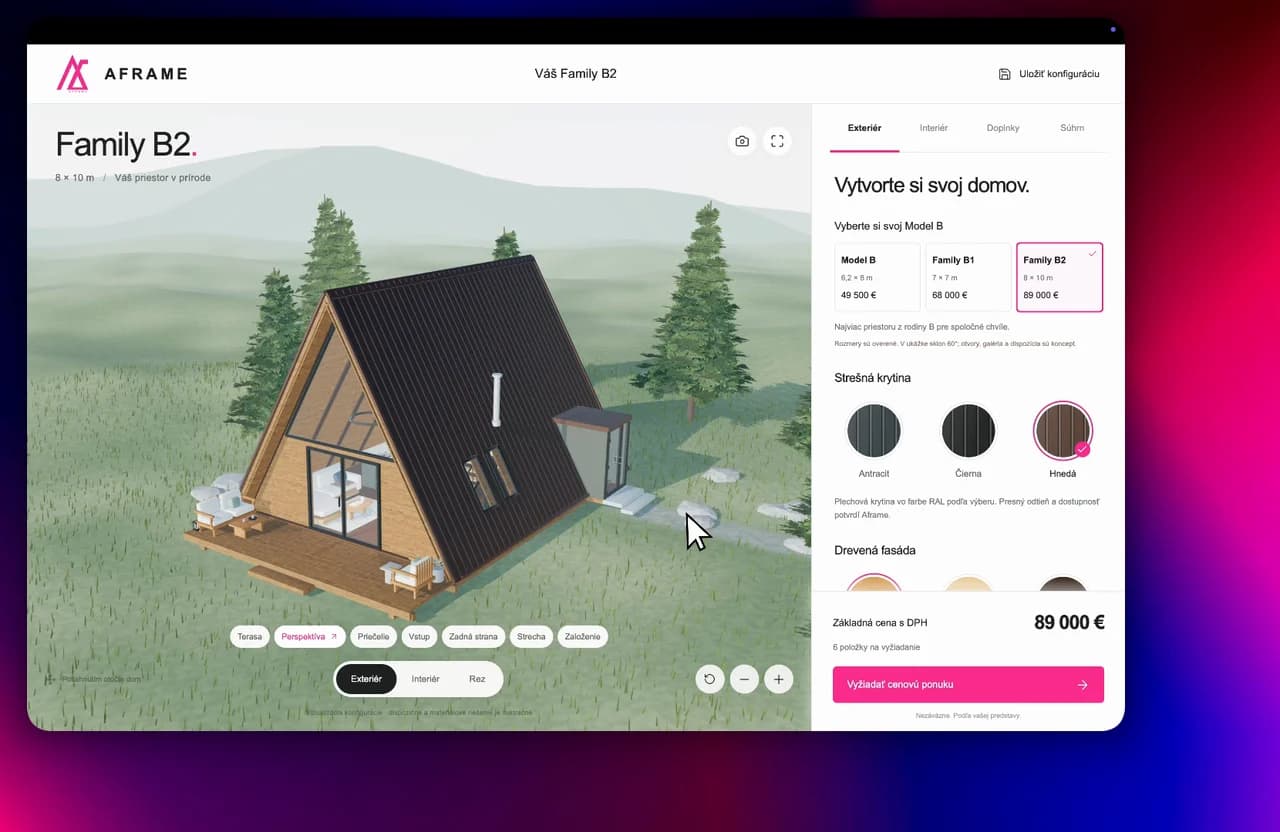
Choose materials
Choose the roof, facade and other options beside the house preview.
- 03
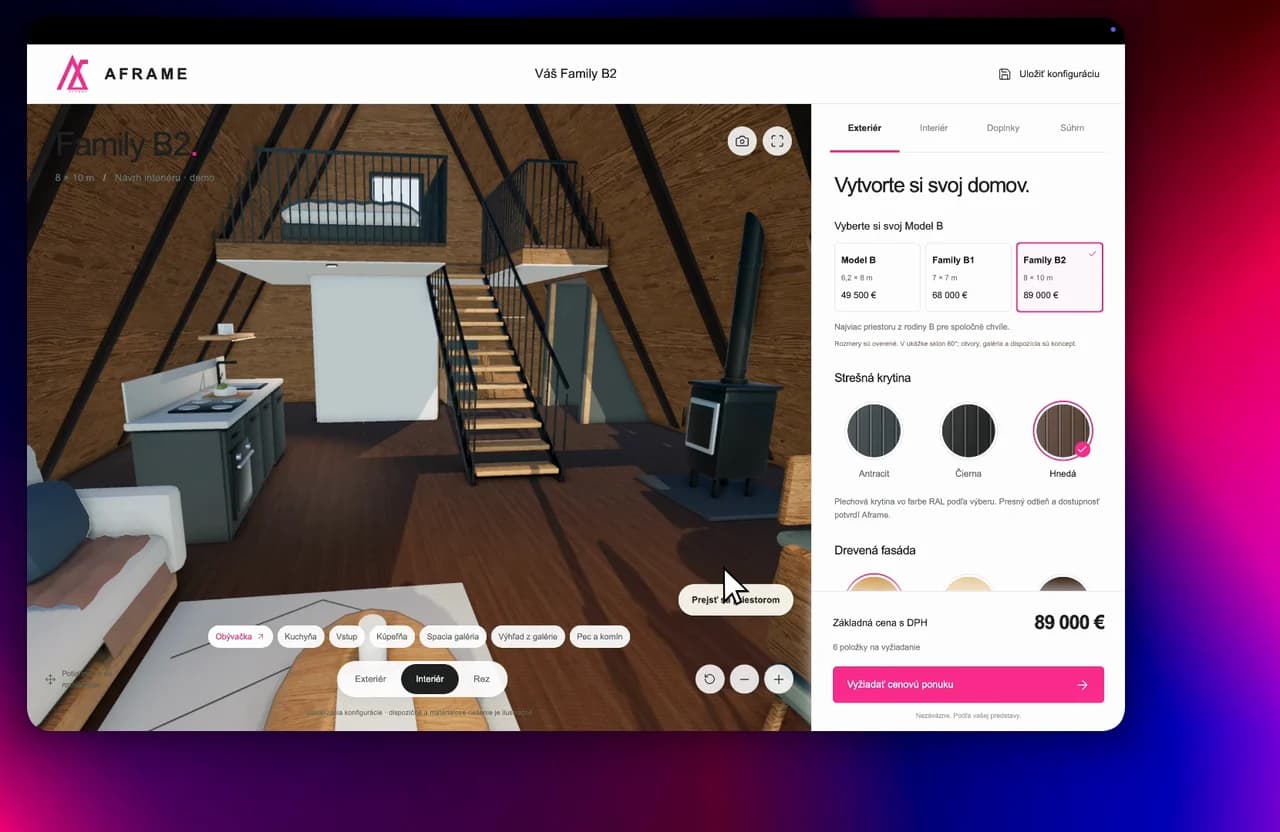
Look inside
The interior gives the selected model a sense of space and living zones.
- 04
Prepare a specific inquiry
The visible configuration and quote button provide the next step after exploration.
Result
A space people can understand
A-frame combines house models, materials and options with a 3D preview, an interior walkthrough and configuration pricing.
- 3D model and material selection
- exterior and interior walkthrough
- visible pricing and a path to a quote