
Configurators
How much does a 3D configurator cost and what affects the price?
What makes up the price of a 3D configurator, which parts of the project are the most demanding and how to choose a solution for your product and budget.
Contents
The price of a 3D configurator can’t be summed up in one universal figure.
A simple configurator with a handful of options can be a fairly quick project. A complex solution with a realistic 3D model, automatic pricing, technical rules and integration with the company’s internal systems can be far more demanding.
The difference isn’t just in how it looks.
The price depends mainly on what the configurator has to do, how many options it includes and how precisely it has to respond to the user’s choices.
In this article, we explain what makes up the price of a 3D configurator, which parts of the project tend to be the most demanding and how to choose a solution that makes sense for your product and your budget.
What is a 3D configurator
A 3D configurator is an interactive application in which users customize a product to their own requirements.
They can change, for example:
- the product model,
- dimensions,
- material,
- colour,
- construction type,
- technical components,
- add-ons,
- lighting,
- surface finish.
The changes appear instantly on the 3D model.
Users can rotate the product, zoom in and view it from different angles. In more advanced cases, the price, the technical description or the list of selected components can update at the same time.
At the end of the configuration, the customer can:
- send an inquiry,
- save the design,
- download a summary,
- get an indicative price,
- book a consultation,
- go straight to checkout.
So a 3D configurator isn’t just a visualization. It combines product presentation, a user interface and a sales process.
Why configurator prices vary so much
Two configurators may look similar at first glance, yet their technical complexity can be completely different.
Let’s take two examples.
The first configurator lets you choose between three pergola colours and switch on LED lighting.
The second lets you change the pergola’s dimensions, number of posts, roof type, side shading, colour, lighting, mounting method and dozens of other elements. Every option affects the visualization, the price and the availability of the other options.
The first case involves fairly simple logic.
The second requires a complex system of rules that must prevent invalid combinations while calculating the result correctly.
The number of dependencies between individual options is often one of the biggest price factors.
1. The number of configuration steps
Every configurator consists of a certain number of steps.
These might include:
- choosing a model,
- entering dimensions,
- choosing a material,
- choosing a colour,
- add-ons,
- technical parameters,
- a summary,
- sending the inquiry.
The number of steps alone, however, isn’t the only deciding factor.
What also matters is how many options each step contains and how they build on each other.
A step with a choice of three colours is simpler than one where the user enters custom dimensions and the configurator automatically changes the product’s construction accordingly.
The more decisions the system has to process, the more time it takes to design the logic and the user interface and to test everything.
2. The quality and complexity of the 3D model
One of the most important parts of a 3D configurator is the product model itself.
The price depends on whether the company already has a suitable 3D model or whether one needs to be created from scratch.
An existing model from manufacturing or architectural software often can’t be used directly on the web. It may contain too much detail, a high polygon count or unsuitable materials.
A model like that needs to be optimized.
Optimization can include:
- reducing the polygon count,
- removing unnecessary parts,
- adjusting geometry,
- creating web materials,
- preparing textures,
- splitting the model into configurable parts,
- setting up proper lighting,
- reducing file sizes.
If the model has to be built from scratch, the price depends on its technical and visual complexity.
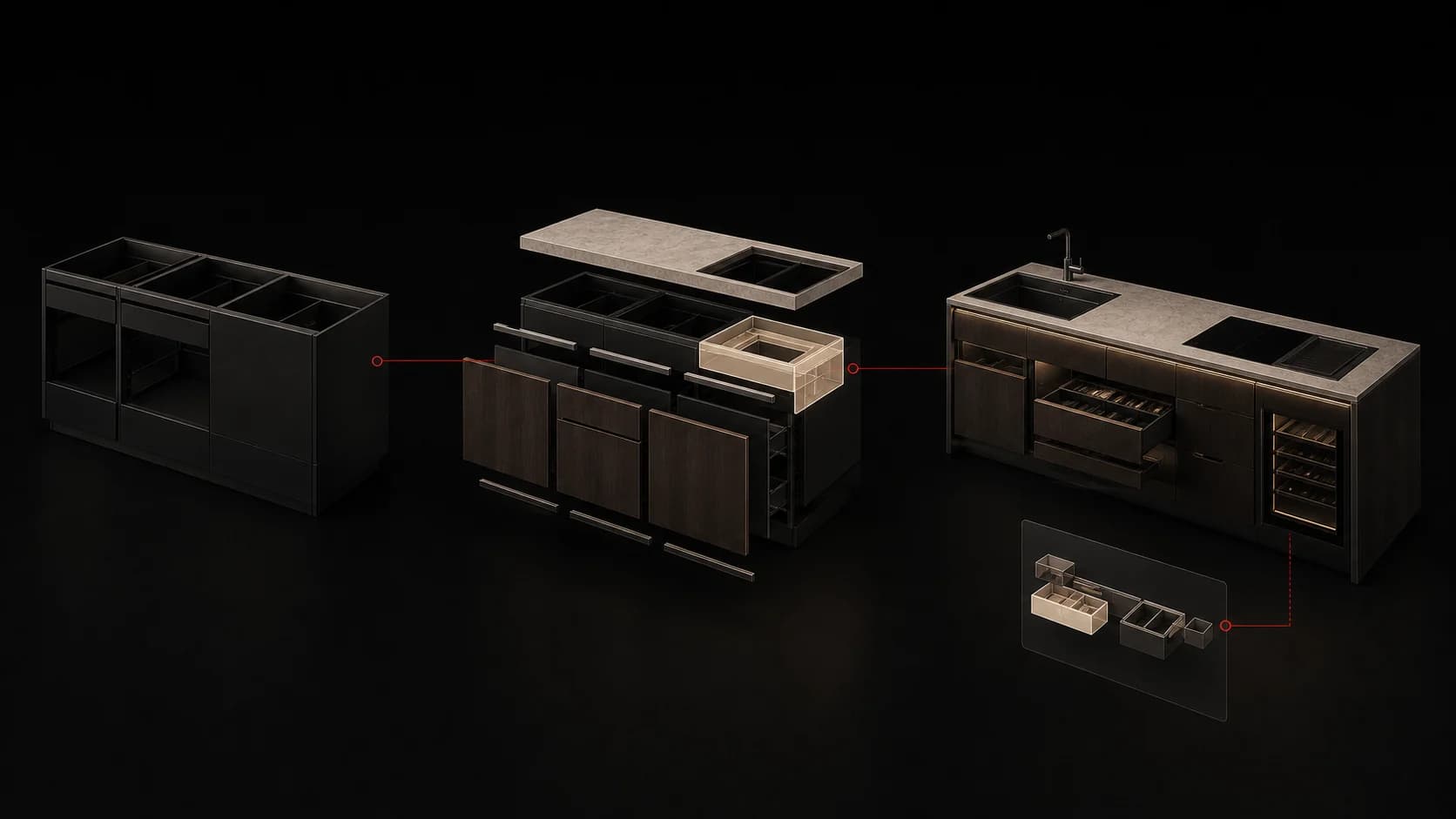
A simple pergola is less demanding than a detailed fireplace, a modular house or a technical device with many moving components.
3. The number of models and product variants
A company may need one basic product or an entire catalogue of models.
If the configurator should include five different pergolas, ten types of saunas or several fireplace variants, every model has to be prepared, optimized and tested.
Some models can share materials and components. Others may require completely different logic.
So an important question is:
Should the configurator work with one flexible model or with several separate products?
A single model that adapts dynamically to dimensions can be technically more demanding than several fixed variants.
On the other hand, it can offer the user a more accurate and realistic experience.
4. Materials, colours and finishes
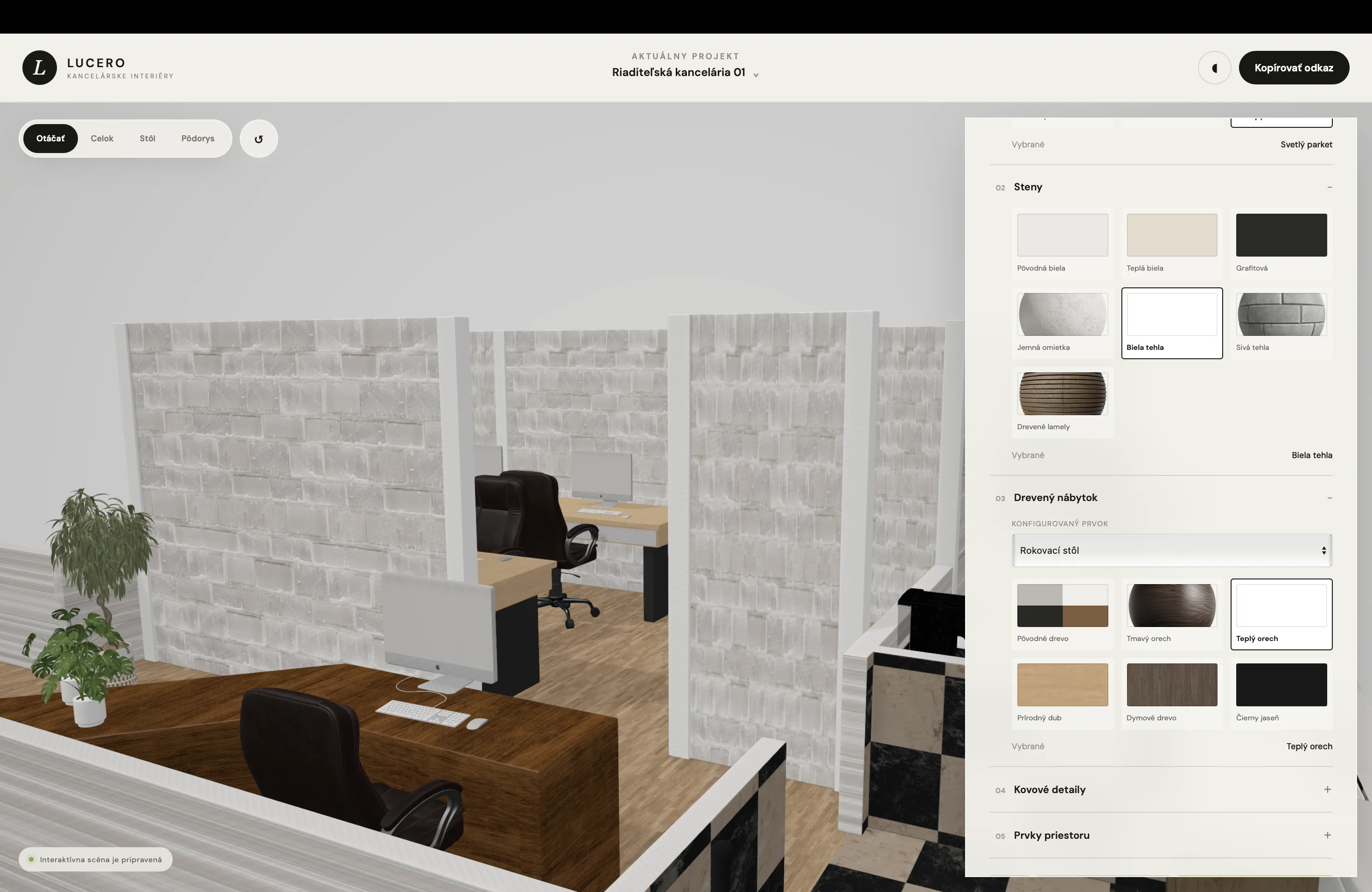
Changing a colour is usually simpler than changing an entire material.
A colour may only adjust the shade of an existing surface. A material, however, can change:
- texture,
- gloss,
- reflections,
- structure,
- transparency,
- how it reacts to light.
Realistic wood, stone, glass, metal or fabric need high-quality textures and properly configured materials.
For a premium configurator, one basic colour isn’t enough.
Users should see the difference between matte and glossy surfaces, between types of wood or between clear and tinted glass.
Every additional material increases the amount of preparation and testing as well as the size of the data the browser has to load.
5. Dynamic resizing
The ability to change a product’s dimensions is one of the more technically demanding features.
In a simple configuration, users can choose from predefined sizes.
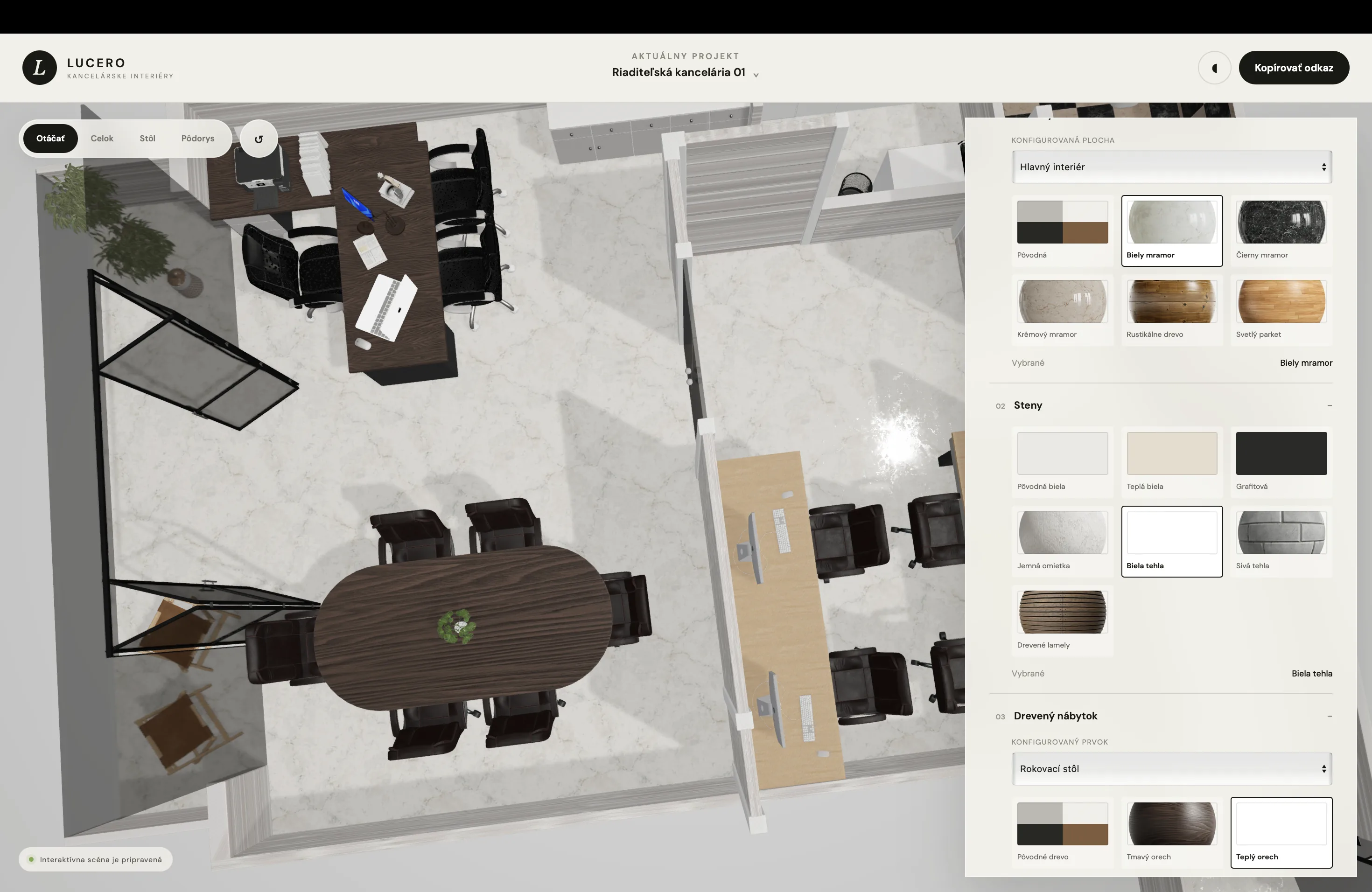
In a more advanced solution, they enter their own width, height or depth and the 3D model adapts automatically.
This can affect:
- the length of the structure,
- the number of load-bearing elements,
- the layout of components,
- glass sizes,
- the number of panels,
- technical limits,
- the final price.
The model can’t simply be stretched visually, because materials and individual elements would get distorted.
It’s often necessary to build a modular system that adds, removes or moves components based on the entered dimensions.
This feature can significantly increase the value of a configurator, but it’s also one of the biggest factors in its price.
6. Technical rules and allowed combinations
Not all options can be combined.
A certain roof type may not be available for a particular size. Some materials may only be suitable indoors. Selected add-ons may require a specific model or technical component.
The configurator has to know these rules.
It can automatically:
- hide unavailable options,
- flag a conflict,
- change a previous choice,
- recommend a compatible variant,
- prevent a technically invalid product from being created.
The more rules a product has, the more important the preparation phase of the project becomes.
Before development starts, it has to be clearly documented:
- which combinations are allowed,
- which options exclude each other,
- which components are mandatory,
- what affects the price,
- which values have technical limits.
Unclear product logic is a common reason why a project grows and becomes more expensive during development.
7. Automatic pricing
A configurator can work without showing a price, with an indicative price or with an exact calculation.
The simplest version is a form that just sends the selected configuration to a salesperson.
A more advanced version calculates the price continuously based on each option.
The calculation can include:
- the model’s base price,
- a price based on dimensions,
- material,
- add-ons,
- volume rules,
- installation,
- delivery,
- individual discounts,
- VAT,
- a minimum order value.
The price isn’t always a simple sum of items.
Some companies use price tables, coefficients, minimum prices or different rules depending on location and type of project.
The more precise the calculation needs to be, the more detailed the pricing rules have to be.
8. User interface and UX
A 3D model can look great, but if users don’t understand the controls, the configurator won’t work as a sales tool.
That’s why the price also covers designing the user journey.
This includes:
- the order of the steps,
- how options are selected,
- navigation between steps,
- how the price is shown,
- the summary,
- error states,
- the mobile version,
- the form at the end of the process.
A good configurator should guide users step by step.
It shouldn’t show them dozens of options at once without any explanation.
Users must always know what they’re choosing, how their choice has taken effect and what to do next.
The design of this journey can have a bigger impact on the number of inquiries than the visual quality of the 3D model itself.
9. The mobile version
A large share of visitors come to the website from a mobile phone.
This is especially true for ads on Instagram, Facebook and other social networks.
A 3D configurator therefore has to be usable on a smaller screen too.
The mobile version needs:
- sufficiently large buttons,
- simple model controls,
- clearly separated steps,
- fast loading,
- a limited amount of text,
- a well-placed summary and price.
Sometimes simply shrinking the desktop version isn’t the right approach.
A mobile interface may require a different layout, a bottom options panel or a separate view for the configuration and the controls.
Good mobile optimization therefore affects both the scope and the price of the project.
10. Integration with the website and internal systems
A configurator can work as a standalone application or as part of an existing website.
A simple solution can send the result by email.
A more advanced solution can be connected to:
- a CRM system,
- a product database,
- an internal price list,
- an e-shop,
- a production system,
- analytics,
- automated emails,
- an order management system.
Every integration adds another technical layer.
Data formats, security, API availability and how the system behaves when something fails all need to be addressed.
If the configurator should use current prices or stock availability, synchronization with the company’s internal system has to be ensured.
11. Saving and sharing a configuration
With more expensive products, customers often don’t decide right away.
They may want to save the configuration, send it to a partner or come back to it a few days later.
The configurator can create a unique link that reopens the configuration later.
It can also generate:
- a PDF summary,
- an image of the product,
- a list of selected elements,
- an indicative quote,
- a configuration ID code.
These features improve the user experience but require storing data and managing individual configurations.
12. Content administration
Products, prices and materials change over time.
If the company has to contact a developer for every change, running the configurator can become impractical.
That’s why an admin interface can be part of the solution.
In it, the company can edit:
- option names,
- descriptions,
- images,
- prices,
- product availability,
- the order of steps,
- contact forms.
A simple admin panel increases the initial project price but can significantly reduce future maintenance costs.
With more complex 3D logic, however, it isn’t always possible to change everything without a developer.
So it’s important to decide at the start which parts the company should be able to manage on its own.
Indicative price tiers
Every project is individual, but configurators can be divided into a few basic tiers.
A simple visual configurator
Suitable for a smaller number of options and a product without complex technical logic.
It can include:
- a few configuration steps,
- selection using images,
- changing colour or material,
- a simple summary,
- a contact form.
This type works especially well as a more interactive replacement for a classic form.
A mid-range 3D configurator
Suitable for a product with several models, add-ons and basic price calculation.
It can include:
- an interactive 3D model,
- multiple materials,
- swappable components,
- automatic pricing,
- technical rules,
- saving the configuration,
- integration with the website.
This is a common solution for pergolas, saunas, fireplaces, furniture or garden buildings.
An advanced sales configurator
Suitable for companies that want to connect the configurator directly to sales, production or internal systems.
It can include:
- dynamic resizing,
- a large number of product rules,
- exact price calculation,
- several product lines,
- an admin panel,
- integration with a CRM or e-shop,
- document generation,
- user accounts,
- analytics and automations.
A configurator like this is no longer just part of the website. It becomes a standalone business system.
How to reduce the price without losing the core value
The best way isn’t to lower the quality of every part.
It’s better to reduce the scope of the first version.
A company can start with its best-selling model, fewer materials and a simpler price calculation.
The first version can include:
- the main product options,
- high-quality 3D visualization,
- simple selection,
- an indicative price,
- sending the inquiry.
Further models, add-ons and integrations can be added gradually, based on how customers use the configurator.
This approach allows a faster launch and reduces the risk of investing in features visitors don’t need.
What to prepare before getting a quote
A more accurate price can only be determined once the product and the desired process are understood.
The company should be able to answer at least these questions:
- Which product will be configured?
- How many models should the configurator include?
- Which options can users change?
- Which combinations are allowed?
- Should the price change too?
- Should the result be purely visual or technically precise?
- Are there usable 3D models?
- Should the configurator be connected to the website, a CRM or an e-shop?
- Will the company need an admin panel?
- What should the final inquiry look like?
The better prepared this information is, the more accurately the scope, price and timeline can be estimated.
The most common reasons prices grow during a project
The price most often changes when new features are added during development or when the product logic turns out to be more complex than originally expected.
Typical examples:
- new models are added,
- resizing has to be dynamic,
- pricing rules are incomplete,
- some combinations have to be blocked automatically,
- the existing 3D model isn’t usable,
- an integration with an internal system is added,
- the mobile version needs a different solution,
- the company wants an additional admin panel.
A thorough initial analysis is therefore not a wasted phase.
It helps uncover technical dependencies before development starts and reduces the risk of unexpected changes.
Is a 3D configurator a good investment?
The price of a configurator shouldn’t only be compared with the price of a regular website.
What matters is what it can bring the company.
A well-designed configurator can:
- increase the number of relevant inquiries,
- improve ad performance,
- shorten sales conversations,
- reduce repeated questions,
- automate pricing,
- set the company apart from competitors,
- help customers make decisions,
- collect data on the most popular options.
For higher-value products, even a few additional orders can significantly affect the return on the entire investment.
However, a configurator has to solve a specific problem.
It shouldn’t be built just because 3D looks modern.
It matters most when customers need help choosing and the company repeatedly handles similar inquiries.
Conclusion
The price of a 3D configurator depends on the scope, the quality of the models, the number of options, the technical logic, the pricing rules and the required integrations.
A simple solution can present the product visually and collect more specific inquiries.
An advanced configurator can automatically change dimensions, check technical rules, calculate the price and pass data straight into the sales or production process.
The most important thing is not to start with the question:
“How much does a 3D configurator cost?”
A better question is:
“What should the configurator make easier for the customer, and what should it automate for the company?”
Only based on that answer can you design a solution that fits the budget and delivers real business value.
Considering a 3D configurator for your product?
At Lucero, we design product and 3D configurators for companies that want to make choosing easier for their customers and receive more specific inquiries.
We’ll help you define the right scope, design the user journey, prepare the visual system and connect the configurator to your website or sales process.
Write to us and describe the product you want to make configurable.
Keep reading
More articles
Which companies benefit most from an online configurator?
Find out which companies an online configurator helps by simplifying product choice, bringing more specific inquiries and saving the sales team time.
Read article
Why a beautiful website isn’t enough if users don’t know what to do next
Why attractive design falls short without a clear offer, navigation, calls to action, mobile usability, speed and a logical user journey.
Read article
Why a product configurator improves the quality of inquiries
How a configurator helps customers understand the product and brings more specific, higher-quality inquiries for the sales team and the whole sales process.
Read article