Websites & UX
Why a beautiful website isn’t enough if users don’t know what to do next
Why attractive design falls short without a clear offer, navigation, calls to action, mobile usability, speed and a logical user journey.
Contents
A modern website can look professional and use high-quality photos, animations and premium typography.
That still doesn’t mean it will work.
If users don’t understand what the company offers, where to click and what to do next, even a visually polished website can bring in very few inquiries.
A good website, then, isn’t just about design.
It has to guide the user.
Every section, every button and every page should have a clear purpose. Visitors need to understand quickly where they are, what they can get and what to do next.
That’s the foundation of a good user experience.
A beautiful design and a working website aren’t the same thing
Visual design shapes the first impression.
It helps a company come across as professional, trustworthy and modern. It can set the brand apart from competitors and support the perception of quality.
But design alone doesn’t solve the user journey.
A website can look great and still have:
- an unclear main offer,
- a complicated menu,
- too many buttons,
- weak calls to action,
- hard-to-read copy,
- missing information,
- an unclear next step,
- a complicated contact form.
If visitors have to think about where to click, the website is asking them for unnecessary effort.
The more effort users have to put in, the more likely they are to leave.
Users don’t come to admire the website
Most visitors don’t come to a company website to judge the colours, animations or the designer’s creativity.
They come with a specific goal.
They may want to:
- find out what the company offers,
- look at case studies,
- compare options,
- find a price,
- check whether the company is trustworthy,
- get a quote,
- book a consultation,
- contact a salesperson.
The website’s job is to help them reach that goal as easily as possible.
The visuals should support this process, not complicate it.
The best design often doesn’t feel complicated at all. Users naturally know where to look and what to do.
The first few seconds decide
When visitors open a website, they form a basic picture very quickly.
They need to understand:
- who you are,
- what you do,
- who you do it for,
- why they should care,
- what they can do next.
If the hero section contains only a generic slogan, users may not grasp the actual offer.
A line like:
“We create the digital experiences of the future”
may sound modern, but it doesn’t explain whether the company builds websites, apps, ads or software.
A clearer version might be:
“We build websites, apps and configurators that bring companies more inquiries.”
Users immediately know what the company does and what benefit they can expect.
Creativity only makes sense when it doesn’t hurt clarity.
Every page needs a main goal
A common mistake is a page trying to achieve too many things at once.
It has buttons for contact, the portfolio, pricing, a newsletter, social media, a document download and other subpages.
Users then don’t know which step matters most.
Every page should have one main goal.
For example:
- the homepage should introduce the company and lead visitors to get in touch,
- a service page should explain the solution and generate an inquiry,
- a case study should show the result and build trust,
- a blog article should educate users and point them to a relevant service,
- a configurator should lead users to complete their design.
Secondary actions can exist, but they mustn’t compete with the main goal.
A call to action has to be specific
The text on a button strongly affects whether users understand what it does.
Vague buttons like:
- More
- Continue
- Learn more
- Click here
- Submit
don’t tell users what will happen after they click.
Specific calls to action work better:
- See our work
- Create a quote
- Design your own pergola
- Book a consultation
- View available apartments
- Tell us about your project
A good button answers the question:
“What do I get if I click it?”
Users shouldn’t be surprised by the result of a click.
A button has to be visually obvious too
Using the right text isn’t enough.
The main call to action has to be visually recognizable.
It should have:
- sufficient contrast,
- a clear shape,
- an appropriate size,
- enough space around it,
- a visible hover state,
- a visible keyboard focus state.
If all buttons look the same, users can’t tell which one is the main one.
If a button looks like plain text, some visitors may not realize it’s clickable.
Primary and secondary actions should be visually distinct.
The primary button can use a stronger brand element. The secondary one can be simpler or text-only.
Users must always know where they are
On larger websites, orientation matters.
Visitors may land directly on a subpage from an ad, a search engine or social media. They don’t necessarily start on the homepage.
Every subpage therefore has to work on its own.
Users should know:
- what the page is about,
- which service it belongs to,
- where to find more information,
- how to go back,
- what they can do after reading.
A clear headline, a logical menu, a highlighted active state and, for deeper structures, breadcrumbs all help.
Visitors shouldn’t need to go back to the homepage just to understand the context.
Navigation has to use the customer’s language
Companies often use internal names that their employees understand but customers don’t.
A menu may contain creative or technical labels that feel original but aren’t clear.
Users shouldn’t have to guess what’s hidden behind a section name.
Labels such as:
- Services
- Case studies
- Configurators
- About us
- Blog
- Contact
are simple, but easy to understand.
Originality can show in the design, the copy and the brand presentation.
Core navigation should stay predictable.
More options can mean fewer decisions
It may seem that the more options we give users, the better.
In practice, a large number of equally weighted options often creates uncertainty.
If visitors see ten services, six buttons and three different forms, they may put the decision off.
A website should reveal information gradually.
First it explains the main offer.
Then it shows the relevant services.
Next it provides proof, examples and answers to questions.
Only then does it invite users to take a specific action.
A good website doesn’t show everything at once. It shows the right information at the right moment.
Content has to answer real questions
Users can’t take the next step if important information is missing.
Before contacting a company, they may need to know:
- what exactly they’ll get,
- how the process works,
- who the service is for,
- roughly how much it costs,
- how long it takes,
- what they need to provide,
- what results the company has achieved,
- what happens after they submit the form.
If a website ignores these questions, users may go to a competitor that explains them more clearly.
Brevity matters, but it mustn’t mean missing content.
The job of UX isn’t to remove all the copy. It’s to arrange it so it’s easy to understand and scan.
Case studies have to help people decide
Portfolio sections often contain only nice images and project names.
That’s visually appealing, but it may not be enough for the user.
A good case study should explain:
- what problem the client was solving,
- what Lucero built,
- why a particular approach was chosen,
- which features the solution includes,
- what the result was,
- what type of company a similar solution suits.
That way, visitors can connect the case study to their own situation.
Case studies shouldn’t only prove that a company can produce nice-looking work.
They should show that it understands the client’s business problems.
The form mustn’t be the last obstacle
A user can go through the entire website, decide to contact the company and then leave because of a complicated form.
A common problem is too many required fields.
The company may want to collect every possible detail, but the user may not have a precise idea yet.
For a first contact, this is often enough:
- name,
- email or phone,
- a short project description.
Further details can be gathered later or through a simple step-by-step form.
The form should also explain:
- what happens after submission,
- when the user can expect a reply,
- who will contact them,
- whether the inquiry is non-binding.
Uncertainty doesn’t end with the click on the button.
Users also need to know what happens next.
The mobile version needs its own user journey
A website designed for desktop won’t automatically work on mobile.
On a smaller screen, these things change:
- the amount of visible content,
- how the site is operated,
- button sizes,
- the order of sections,
- the length of copy,
- how the menu behaves,
- the user’s attention.
Mobile visitors may come from an ad and decide faster.
The important action therefore mustn’t be hidden at the end of a long page or in a complicated menu.
Buttons have to be large enough, with enough space between elements.
Users shouldn’t tap the wrong option by mistake.
The mobile version isn’t a shrunken desktop. It’s a separately thought-through way of using the website.
Speed is part of the user experience
Even the best-designed journey fails if the website loads too slowly.
Large videos, unoptimized images, 3D elements and excessive animations can slow a page down.
Users then wait instead of moving on.
Visual effects should therefore have a clear purpose.
An animation can:
- direct attention,
- explain a change,
- show progress,
- make the interface feel smoother.
It shouldn’t exist just to make the website look more expensive.
If an effect slows content down, hides a button or hurts readability, it damages the result.
Accessibility improves the website for everyone
Accessibility isn’t only important for a small group of users.
Many accessibility guidelines also improve general usability.
They include:
- sufficient text contrast,
- a readable font size,
- clear button labels,
- visible focus states,
- keyboard navigation,
- alternative text for images,
- understandable error messages,
- large enough touch targets.
Light grey text on a black background can look elegant, but if the contrast is too low, users will struggle to read it.
Likewise, it isn’t enough to distinguish a state by colour alone.
If a form marks an error only with a red border, some users may not understand what happened. They also need clear text.
The user journey has to continue across pages
Every page should naturally lead to the next.
Say a user opens a case study of a website for a real estate project.
After viewing it, they may want to:
- see other real estate projects,
- read about building real estate websites,
- look at interactive apartment selection,
- learn more about 3D visualizations,
- contact Lucero.
These options should be directly available.
If a page ends without a next step, users have to figure out where to go on their own.
The end of every section is an opportunity to guide them further.
What a clear journey on a company website looks like
A simple user journey might look like this:
- The visitor understands the main offer.
- They choose a relevant service.
- They find out how the service works.
- They look at specific case studies.
- They read answers to frequently asked questions.
- They see a clear call to get in touch.
- They send a simple inquiry.
- They get a confirmation and information about what happens next.
Each step answers one question and prepares the user for the next decision.
A website doesn’t have to push visitors to get in touch immediately.
But it should always show them where they can go next.
How to find unclear spots on your website
A company may consider its website clear because it knows the content well.
A new user, however, doesn’t have the same context.
It helps to look at the website through the eyes of someone who has never seen the company before.
For every page, ask:
- Is it immediately clear what this page offers?
- Does the user know who the service is for?
- Do they have enough information to decide?
- Is the main action visible?
- Do they understand what happens after clicking?
- Do they know where to go if they don’t want to get in touch yet?
- Does the same journey work on mobile?
Analytics data can help too.
A company can track:
- where users leave,
- which buttons they click,
- how far they scroll,
- which pages they visit before sending an inquiry,
- at which field they abandon the form.
Design shouldn’t be optimized on gut feeling alone.
Real user behaviour can reveal problems that aren’t visible at first glance.
The most common UX mistakes on company websites
Common problems include:
- an unclear main headline,
- overly abstract copy,
- lots of equally weighted buttons,
- hidden contact options,
- a confusing menu,
- long texts without structure,
- weak contrast,
- small buttons on mobile,
- autoplaying animations that disrupt reading,
- case studies without an explained result,
- a form with too many fields,
- no confirmation after submission,
- a page without a clear next step.
Each of these mistakes may seem small.
Together, though, they create a sense of uncertainty and reduce the chance that users complete the desired action.
A beautiful website should support the business goal
Design and business performance don’t have to be in conflict.
A premium website can be clear, simple and functional at the same time.
Visual quality can:
- highlight the most important content,
- build trust,
- explain a complex service,
- create a memorable experience,
- guide the user’s movement,
- strengthen the call to action.
The difference is whether the design was created just for effect or as part of a well-thought-out user journey.
A website isn’t finished when it looks good.
It’s finished when users know what to do, can do it without problems and the company gets the result the website was built for.
Conclusion
A beautiful website can catch attention, but the visual impression alone isn’t enough.
If users don’t understand the offer, can’t find information or don’t see a clear next step, the website won’t fully serve its purpose.
A good website brings design, content, navigation, speed and the user journey together into one system.
Every section should help visitors answer a question and prepare them for the next decision.
The best website isn’t the one where users admire lots of effects.
It’s the one where they naturally, and without uncertainty, do what they came to do.
Not sure where users get lost on your website?
At Lucero, we design websites around real user journeys, not just around what looks good.
We analyze what visitors need to see, where they need to click and what information they need before sending an inquiry.
The result is a digital experience that supports the brand while guiding users to a specific action.
Write to us and we’ll take a look at your website’s user journey.
Keep reading
More articles

Which companies benefit most from an online configurator?
Find out which companies an online configurator helps by simplifying product choice, bringing more specific inquiries and saving the sales team time.
Read article
Why a product configurator improves the quality of inquiries
How a configurator helps customers understand the product and brings more specific, higher-quality inquiries for the sales team and the whole sales process.
Read article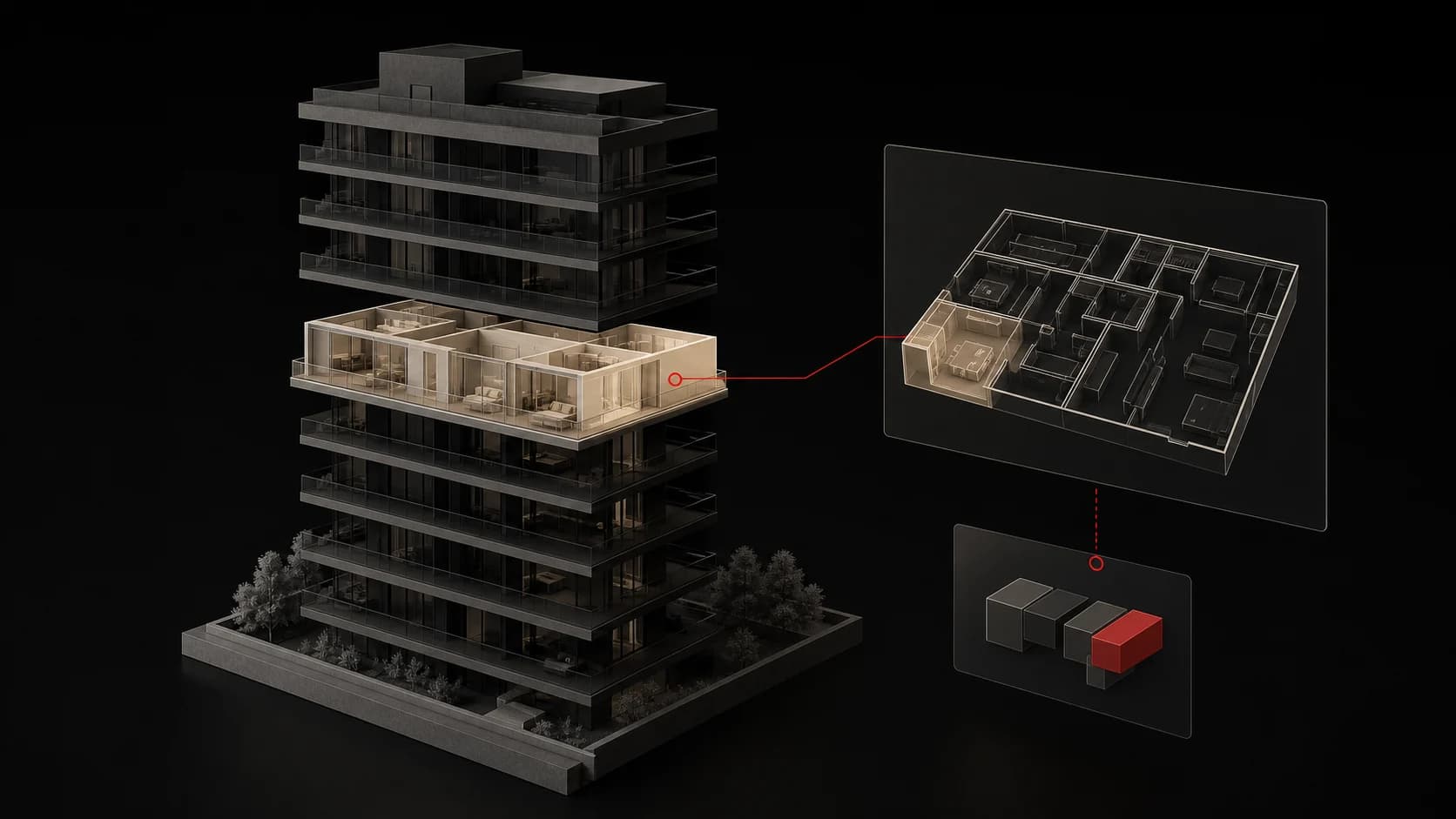
What a modern digital presentation of a real estate project can look like
How to combine premium visuals, interactive apartment selection, live availability and a simple sales process on a modern real estate project website.
Read article